Quotes, projects & parts

Elevator repair quotes, projects and parts inventory.

Send a Quote for the Building Manager to accept and convert it to a Job. Run larger work as a project, and keep count of the parts in each store and van.

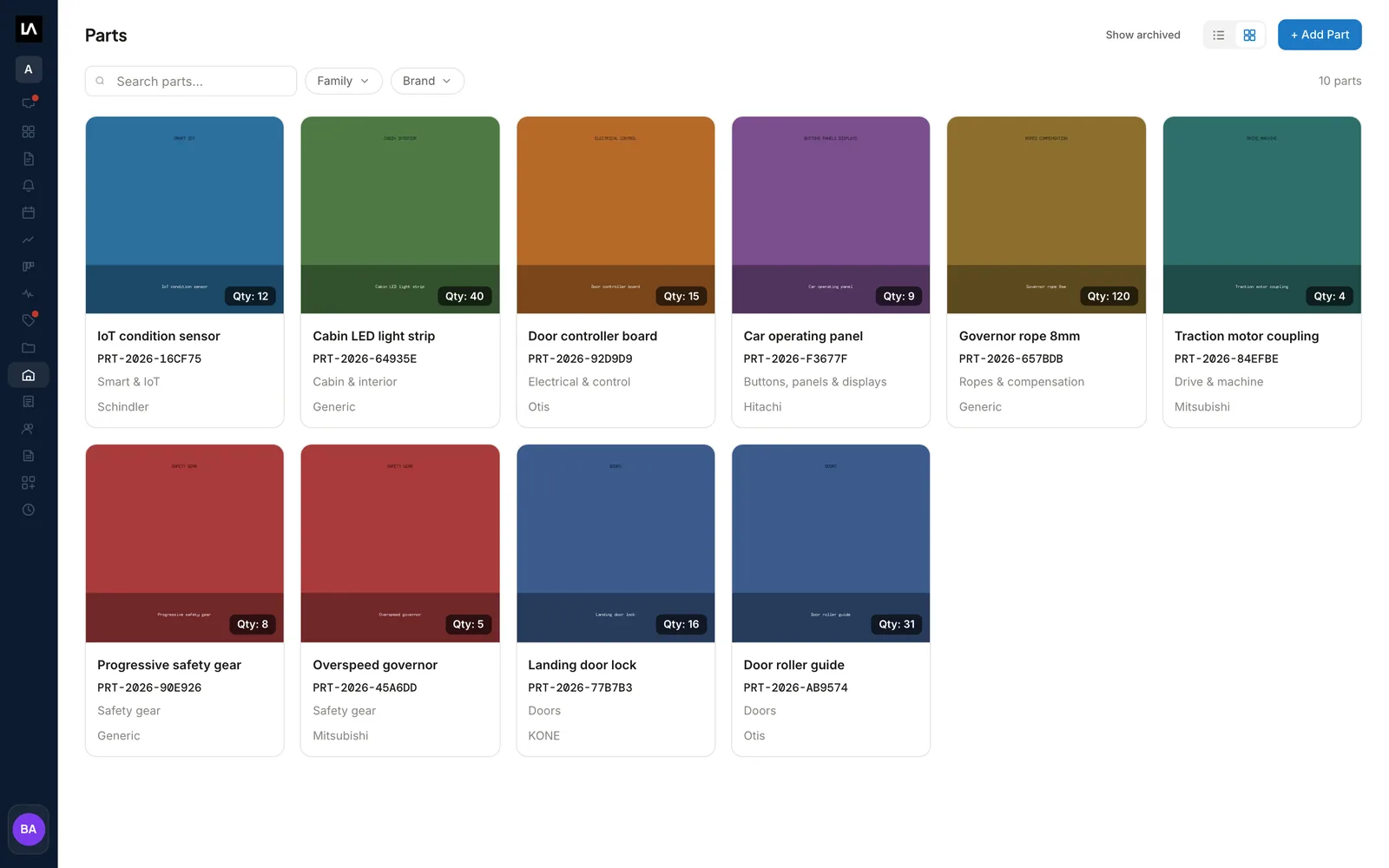
The LiftAuth parts catalog in grid view, with each elevator part's quantity on hand, Part No., family and brand.

What are Quotes, projects and Inventory in LiftAuth?

A Quote is a price you offer a Building Manager before the work is agreed. It commits nothing until they accept it. Then you can turn it into a Job, an Invoice, or both.

A project holds larger work that runs over several visits and documents, such as a modernization, an installation or a major repair. It keeps these in one place:

  • the supplier’s quote and your Quote to the Building Manager
  • the Purchase order you place with your supplier
  • the Jobs and the Invoice

Inventory is the list of spare parts your company works with, and how many of each you hold in each warehouse. Inventory is in the Pro package.

What’s included in Quotes, projects and parts.

Quote lines from your catalog

Add a part from Inventory, a standard billing item, or a line typed by hand.

Signed Quotes

Sending a Quote numbers it and signs the PDF with your signature. A Building Manager on the app accepts it with their own signature.

Revisions

To change a sent Quote, select Revise. The old one is marked Superseded once the revision is sent.

Quote to Job

Convert an accepted Quote to a Job with the quoted parts listed and a Technician or Team already scheduled.

Six project stages

Supplier quote, Building manager quote, Procurement, Work, Invoice and Closed, in the same order on every project.

One package of paperwork

Download a project’s documents at any time. Once it is closed, email the Building Manager one PDF or a zip.

Parts and warehouses

Each part has a photo, a family, a brand and prices. A warehouse can be a store, a depot or a service van.

Stock movements

Record each Deposit, Withdraw or Transfer, and LiftAuth works out the stock on hand.

From Quote to Job, project and parts.

01Quote the work

Send the Quote for the Building Manager to accept.

Add the lines, the terms and a Valid until date, then select Send quotation. If the Building Manager has accepted your sharing request and uses the building manager app, the Quote appears there straight away. They can accept it with their signature or decline it.

Sending does not email the Quote. For a Building Manager who is not on the app, email it as a separate step and record their answer yourself.
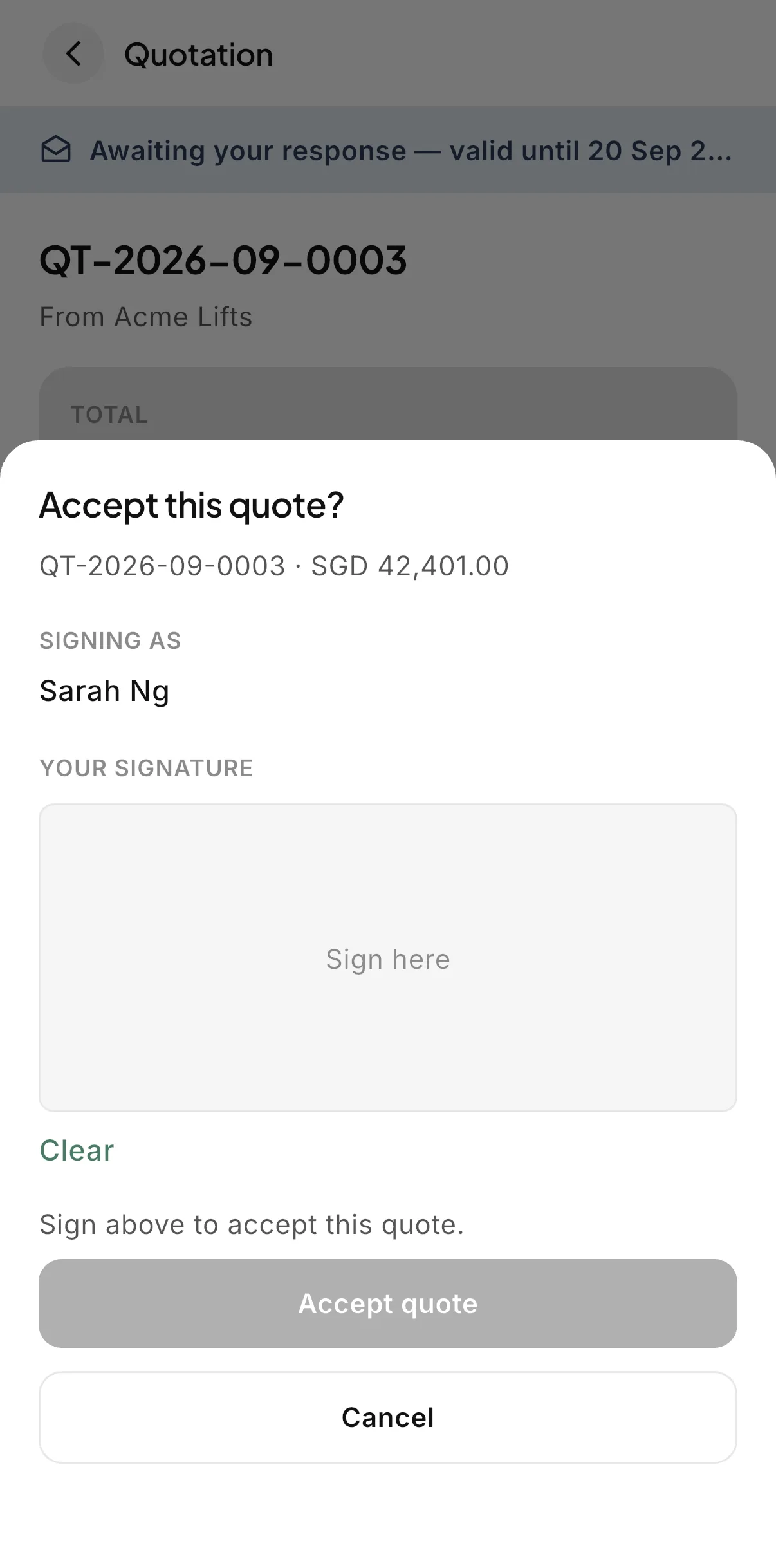
The Accept this quote sheet in the LiftAuth building manager app, with the signer's name and a signature pad.
02Convert to a Job

Turn the accepted Quote into a Job.

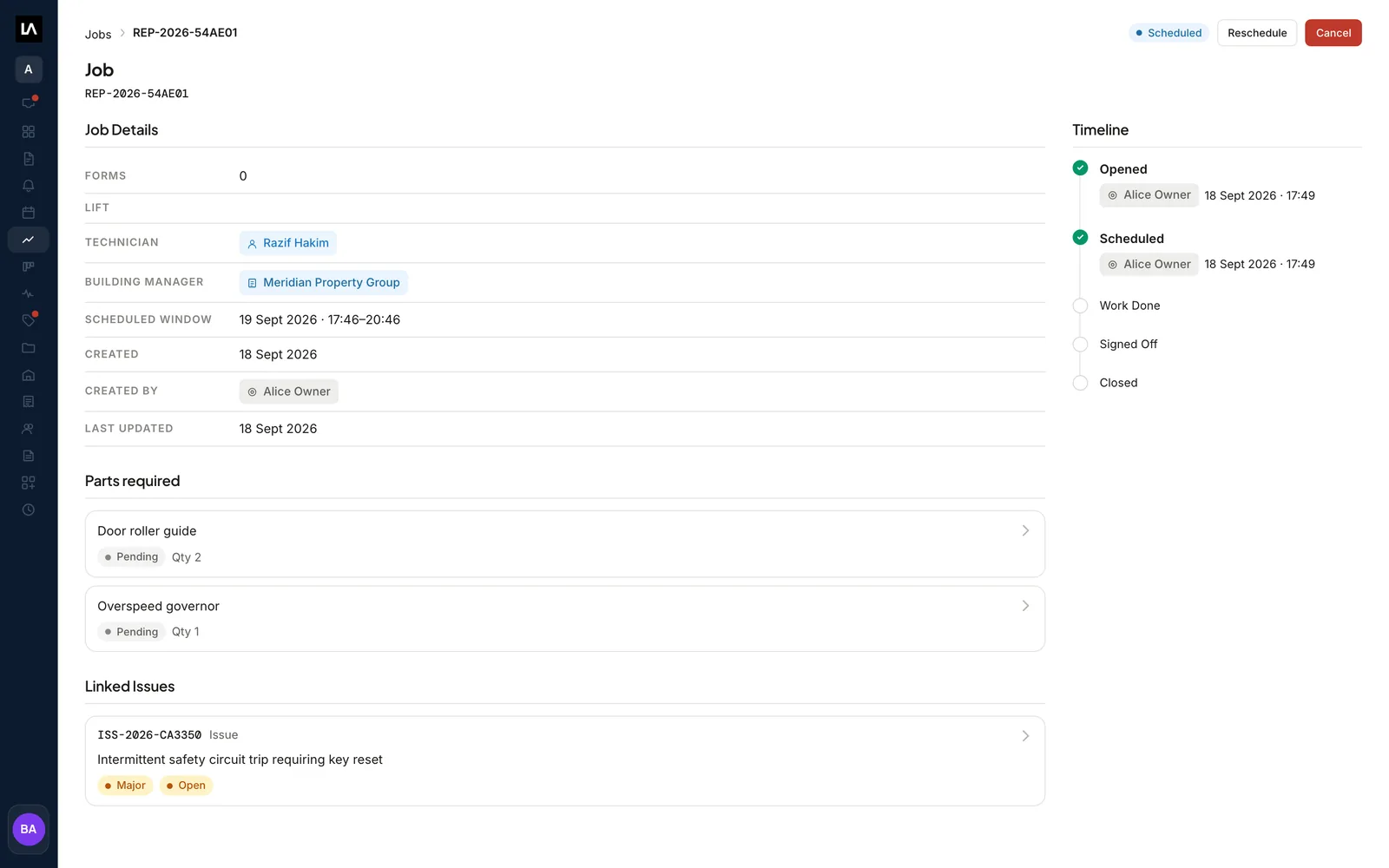
Convert to repair job creates one Job from the Quote. Name one Technician or one Team and a time window, and the Job arrives Scheduled.

Each part line on the Quote becomes a row in the Job’s Parts required list. When the Job is closed, LiftAuth drafts the Invoice from the Quote.

Parts requiredScheduledDraft Invoice
A Job converted from a Quote, with its Technician, Building Manager and time window, two Pending rows under Parts required, and a linked Issue.
03Larger work

Run larger work as a project with six stages.

Use a project when one Job is not enough to hold the work. Every project has the same six stages, in the same order. Supplier quote and Procurement, where the Purchase order to your supplier goes, are internal.

Raise the Quote, the Jobs and the Invoice from their stages, or attach your own documents. A stage is settled when someone selects Mark complete or Skip, and the people assigned to the next stage get an Inbox item and an email.

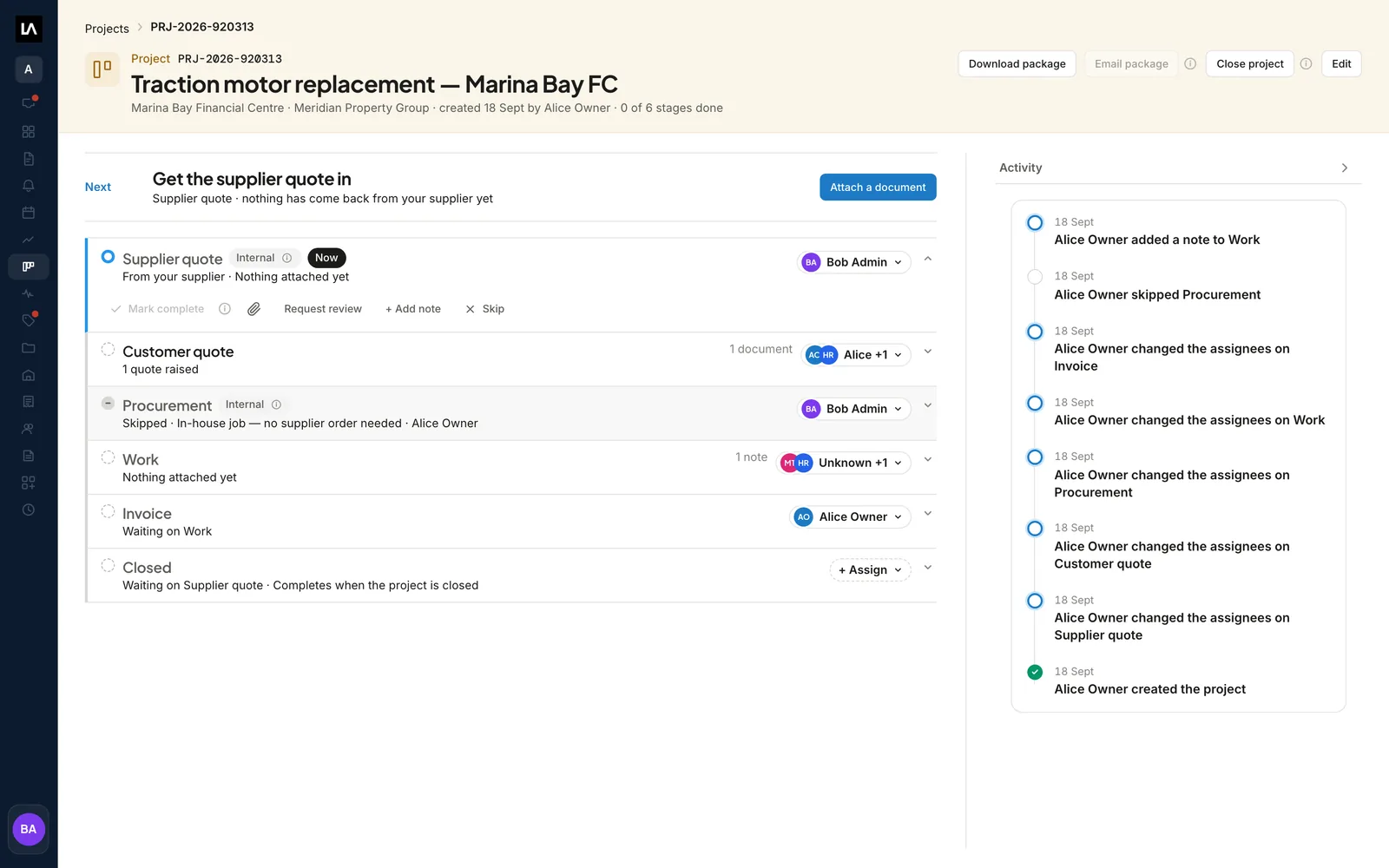
Supplier quoteBuilding manager quoteProcurementWorkInvoiceClosed
A project in LiftAuth for a traction motor replacement, with its six stages, the people assigned to each, and the activity log.
04Parts and stock Pro

Count your parts in every warehouse and van.

Add your warehouses, then your parts with their opening stock. Record a Deposit, Withdraw or Transfer each time stock arrives, is used or is moved, and LiftAuth updates the counts.

The Parts required list on a Job is a reminder. Your stock changes when someone records a Withdraw, with the Job reference in the note.

In the technician app, a Technician can search the parts catalog, see the stock in each warehouse and record a movement. They can also photograph a part to find the closest matches. Inventory on the phone needs a signal.

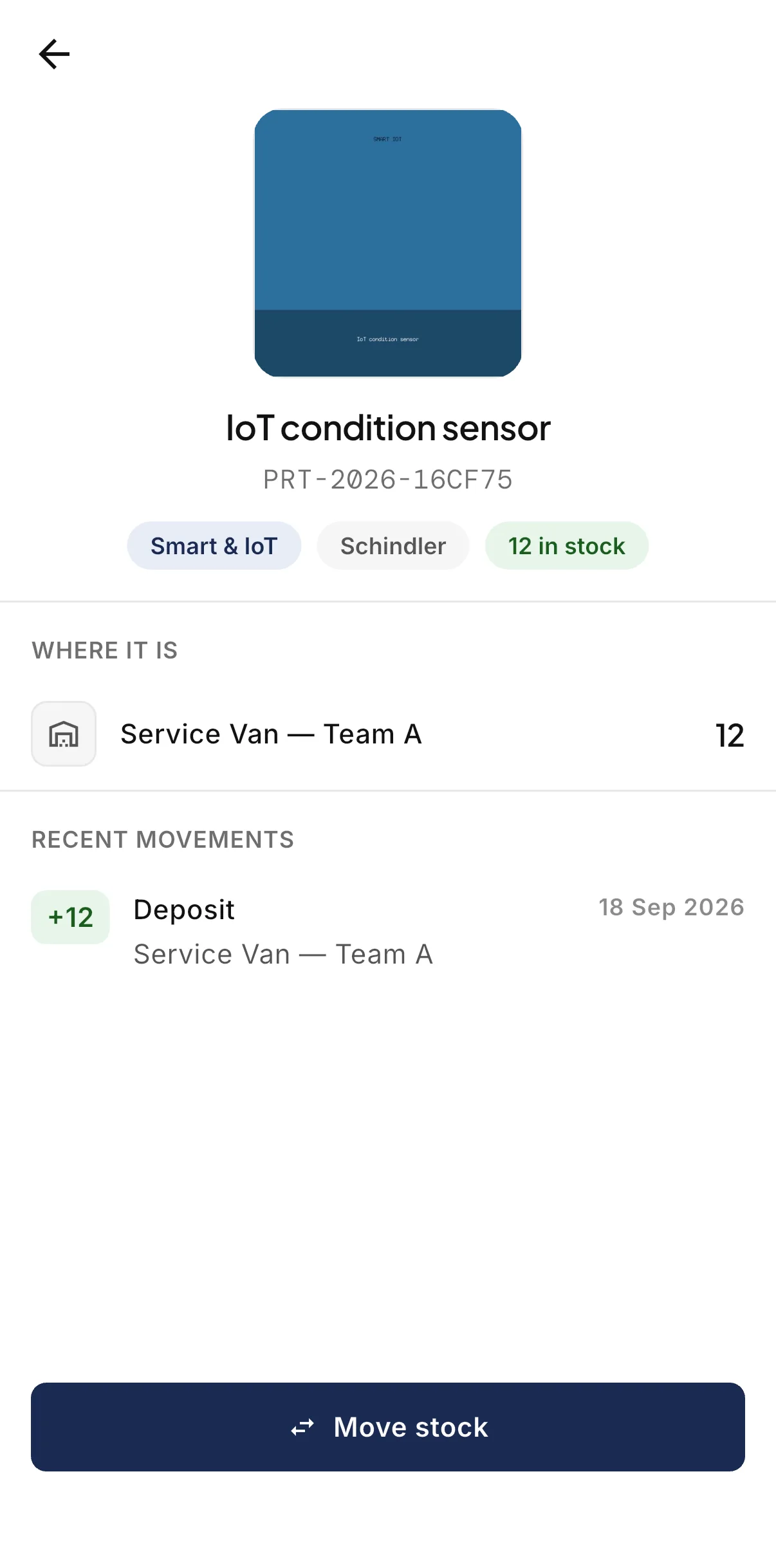
A part in the LiftAuth Ops technician app, showing the stock in a service van, its recent movements and the Move stock button.

Repair quotes and parts before and after LiftAuth.

BeforeSpreadsheets
  1. Quotes written in a document and sent by email
  2. Acceptance found in an email thread
  3. Project paperwork spread across folders
  4. Stock counts kept in a spreadsheet
WithLiftAuth
  1. Quote lines filled in from your parts catalog
  2. Acceptance signed in the building manager app
  3. Every project document on its stage
  4. Stock per warehouse worked out from movements

LiftAuth compared with spreadsheets and email.

Quotes, projects and parts inventory in LiftAuth compared with spreadsheets and email
CapabilityLiftAuthSpreadsheets and email
Quote acceptanceSigned in the building manager app, or recorded by your officeA reply in an email thread
Quote to JobOne step, with the parts listedRetyped into the schedule
Invoice from the QuoteDrafted when the Job is closedWritten separately
Project paperworkOne page per project, in six stagesShared folders
Stock per locationPer warehouse, from recorded movementsUpdated by hand

More of the platform.

Quotes, projects and parts questions

Does LiftAuth raise a Purchase order when stock runs low?

No. A Purchase order is not part of Inventory. It is the Procurement stage on a project, where you attach the order you place with your supplier. When the stock arrives, record it in Inventory as a Deposit.

Does sending a Quote email it to the Building Manager?

No. A Building Manager who has accepted your sharing request sees it in the building manager app straight away. Otherwise, email it as a separate step.

Does using a part on a Job take it out of stock?

No. The Parts required list on the Job is a reminder. Record a Withdraw from the warehouse the part came from, and put the Job reference in the note.

What happens when a Quote passes its Valid until date?

The Quote shows a Validity lapsed badge and can no longer be accepted. Select Revise to issue a new revision at a current price.

Can Technicians see projects?

No. Projects are for Owners and Admins only. Technicians can see and move stock in Inventory, on the dashboard and in the technician app.

Quote, schedule and stock your repair work in one place.

To talk to us, email hello@liftauth.com or fill in the form here.

We use these details to reply to you and to see which pages you visited first. See our privacy policy.