Building manager apps

The building manager web app, for property managers, co-ops and condos.

Building Managers sign in at building.liftauth.com to see their elevators and Invoices, sign off work and accept Quotes. The LiftAuth Building Manager app does the same on iPhone and Android.

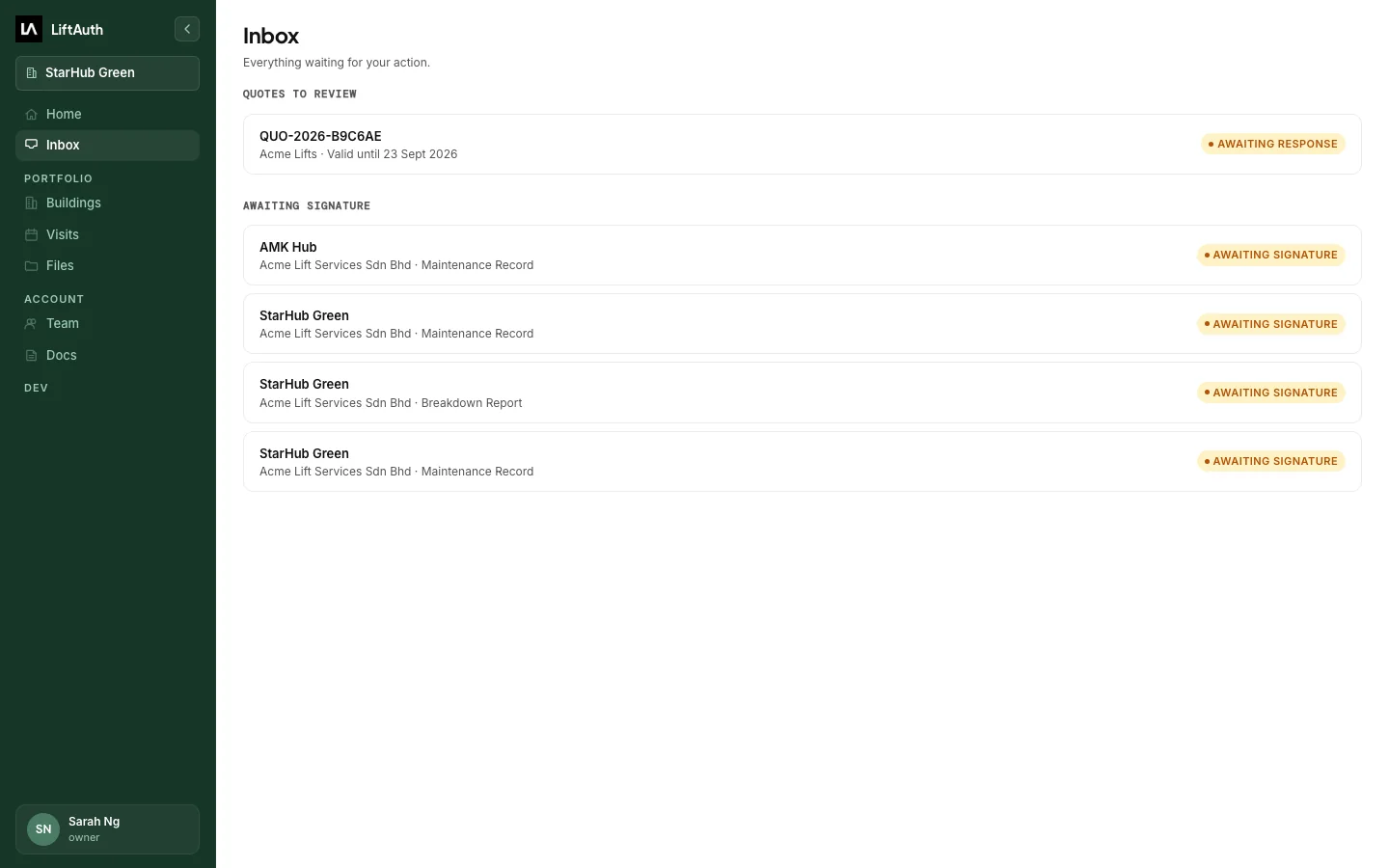
The Inbox in the building manager web app: a Quote to review and four Records awaiting signature.

What Building Managers see in the web app and phone app.

Upcoming visits

Every scheduled visit to their buildings, with the date, time and Technician. Visits are Maintenance, Breakdown or Repair. Planned visits from the Maintenance Contract show further ahead.

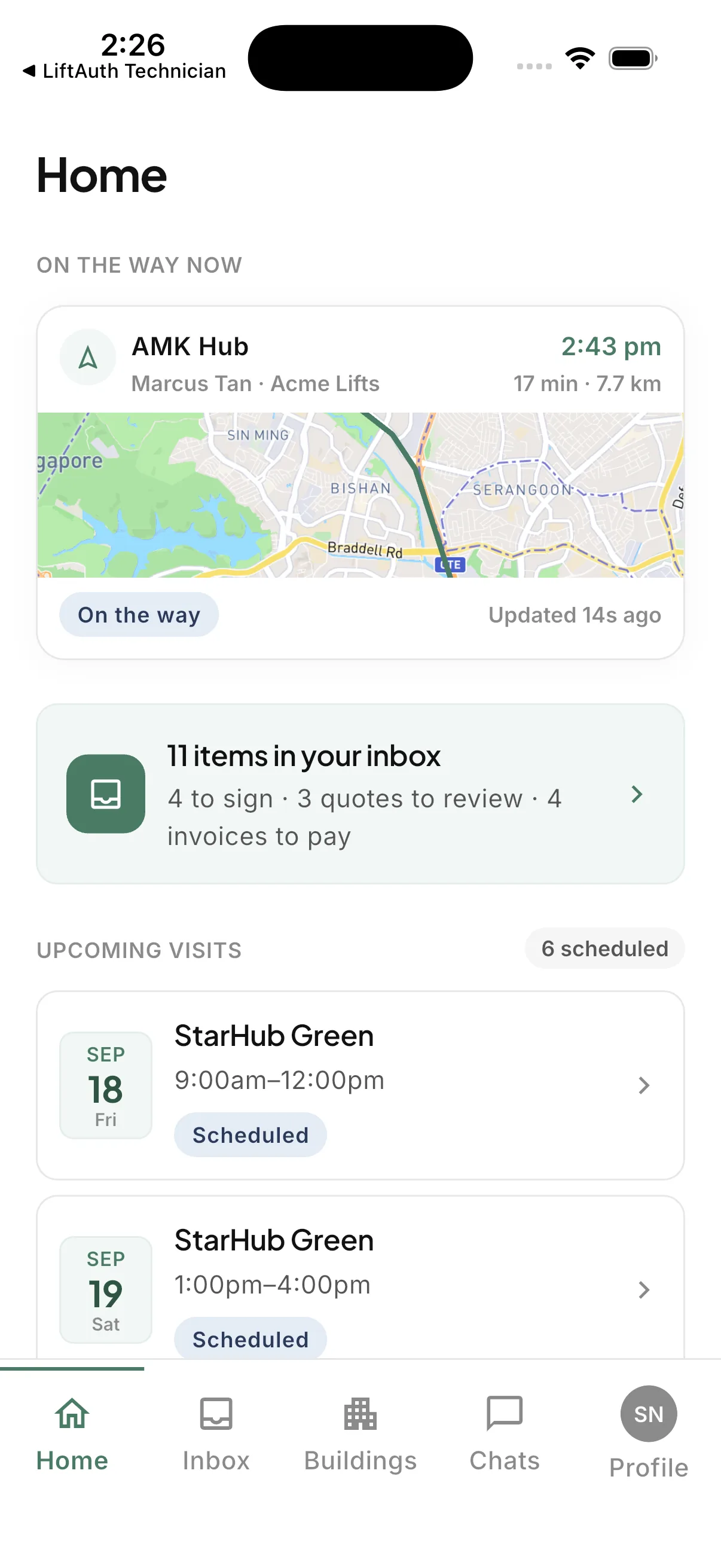
The Technician on the way

When a Technician sets off for one of their buildings, the phone app shows an estimated arrival time if the Technician shares their location. It then shows when the Technician arrives.

Issues on each elevator

Open Issues on each elevator, with their severity. They can see which are open and which are closed.

Quotes and Invoices

Repair Quotes appear in their Inbox to accept or decline. They can tell you when they have paid an Invoice by bank transfer.

Work to sign off

Completed work is in their Inbox, ready to sign off. The Record shows each check on the visit and whether it passed.

Past documents

Their past documents are in Files:

  • Invoices and credit notes
  • Accepted Quotes
  • Signed Records

The building manager web app at building.liftauth.com.

The web app and the phone app open the same buildings, Inbox and files. Work done in one shows in the other.

01On a computer

Everyday work in the web app.

In the web app, Building Managers can:

  • Sign off completed work
  • Accept or decline Quotes, and see Invoices
  • See each elevator’s details, Issues and history
  • See scheduled and planned visits on a calendar
  • Download one document or a whole folder
  • Invite colleagues
HomeInboxBuildingsVisitsFilesTeam
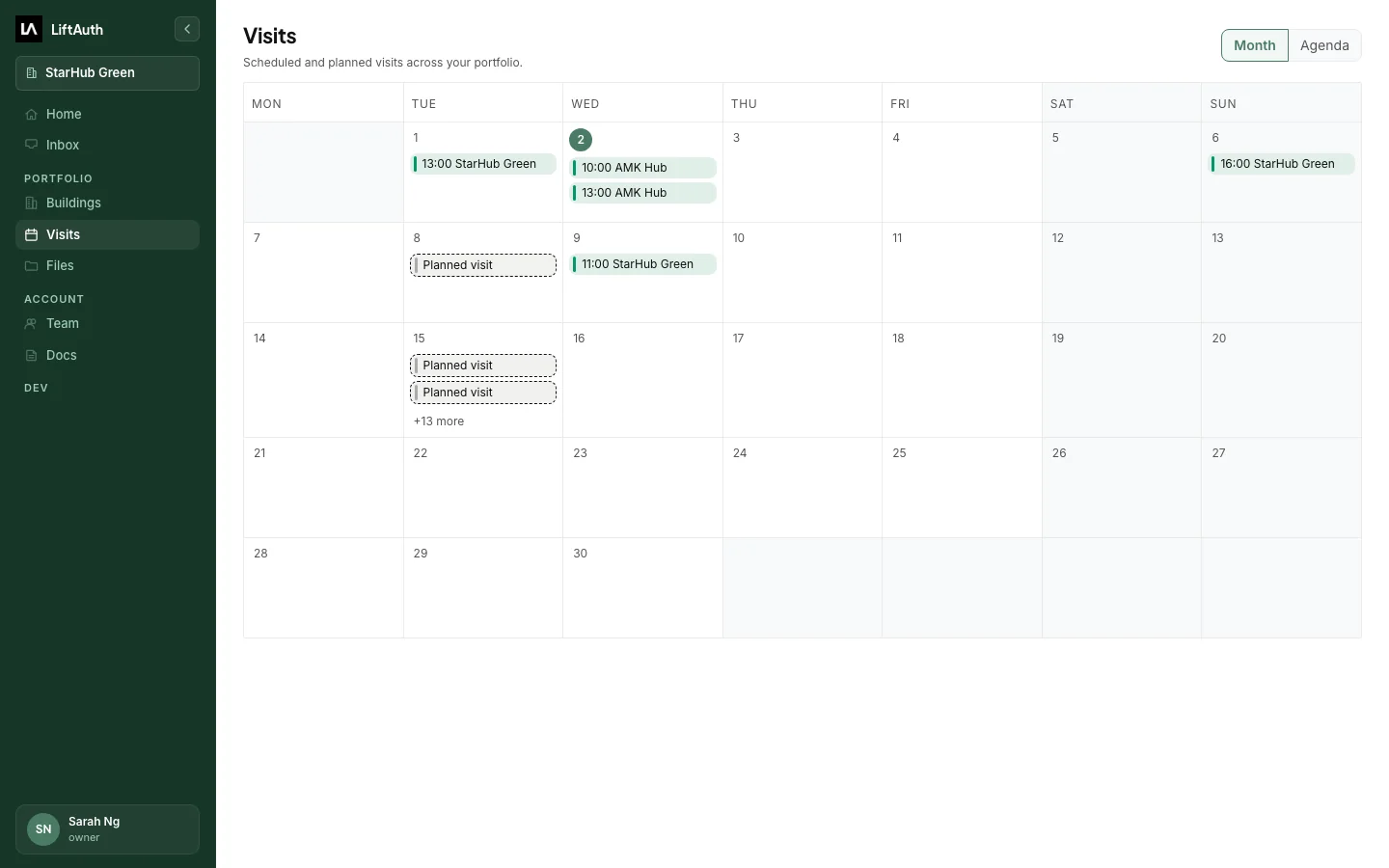
The Visits calendar in the building manager web app, with booked visits and planned visits across a month.
02On the phone

Some things need the phone app.

Building Managers start on the phone. Only the LiftAuth Building Manager app can:

  • Accept your sharing request
  • Chat with your Team Pro
  • Show the Technician on the way
  • Send notifications
The LiftAuth Building Manager phone app showing a Technician on the way to the building.

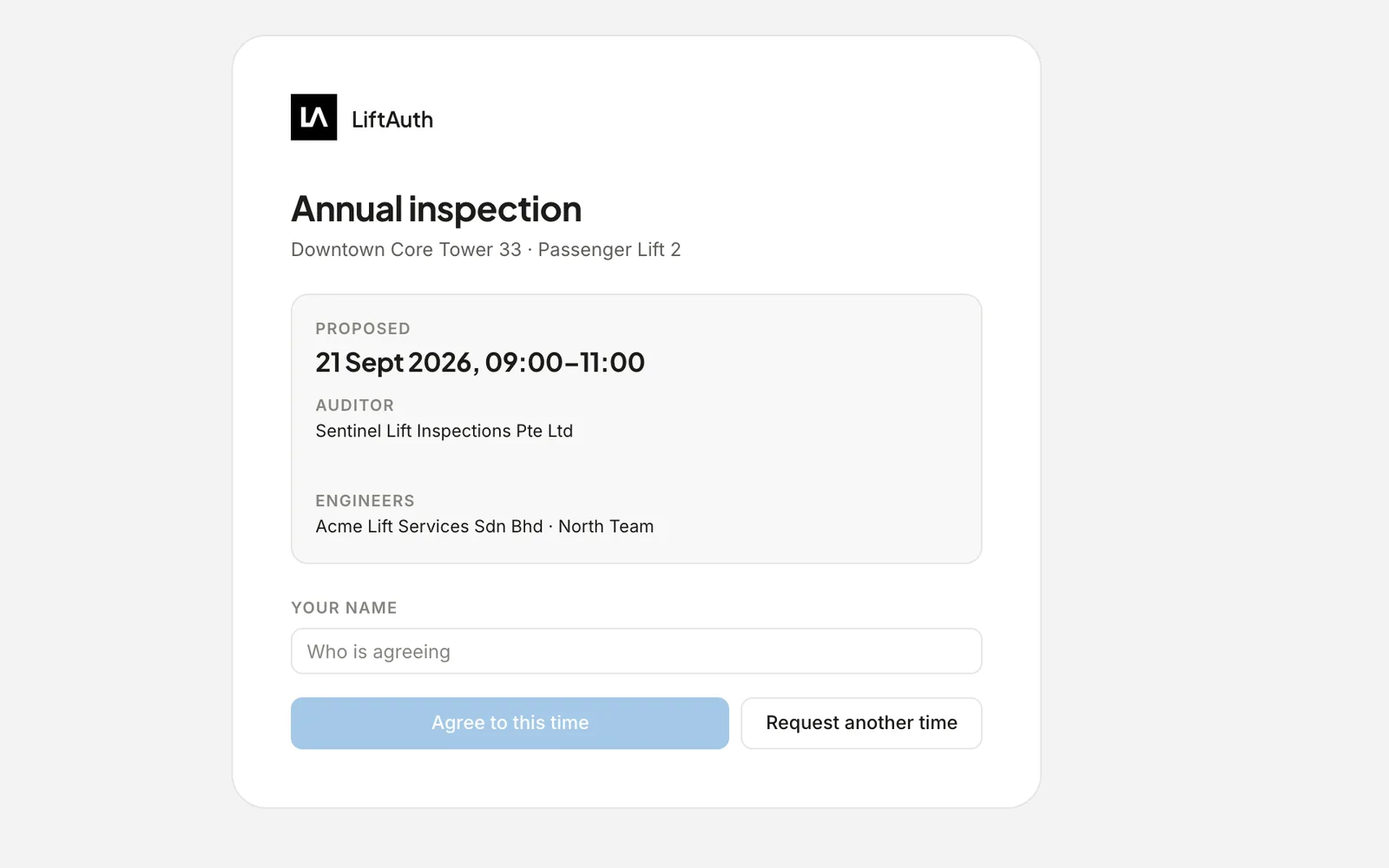
The Building Manager agrees to each Cat 1 test time.

When your Team and the Auditor (the witnessing agency) settle a Cat 1 time, your office emails the Building Manager an agreement link. They open it without signing in, and agree or ask for another time.

  • The Auditor picks a time from your Team’s calendar
  • The Building Manager agrees, or asks for a new time
  • The agreed time goes on your Team’s calendar
The agreement page a Building Manager opens from the email: the proposed time, the Auditor and the attending Team, with Agree to this time and Request another time.

Who uses the building manager apps.

Each Building Manager sees past visits, Issues, Quotes and Records for every building you assign to them.

For managing agents

All their buildings in one list, across every property they manage. They can invite colleagues to see the same buildings and sign off work.

For co-op and condo boards

The board sees past visits, Quotes, Invoices and upcoming visits for the building.

Questions contractors ask

Do Building Managers pay for the web app or phone app?

No. The building manager web app and phone app are included in every LiftAuth package, at no cost to you or your Building Managers.

Can a Building Manager see other buildings?

No. They see only the buildings you assign to them, once they accept your sharing request. They can stop sharing at any time.

Does the Building Manager need to install anything?

Yes, to start. They accept your sharing request in the LiftAuth Building Manager app on iPhone or Android. After that, they can also sign in on a computer at building.liftauth.com.

How do Building Managers pay an Invoice?

They can tell you they paid by bank transfer, and the Invoice updates once you record the payment. Card payments are coming soon.

Invite a Building Manager during your trial.

To talk to us, email hello@liftauth.com or fill in the form here.

We use these details to reply to you and to see which pages you visited first. See our privacy policy.