Breakdown dispatch

Elevator dispatch software for breakdowns and entrapments.

When a building calls about a stuck elevator, raise a dispatch against the building. LiftAuth rings the phones of the Technicians you pick until one of them accepts.

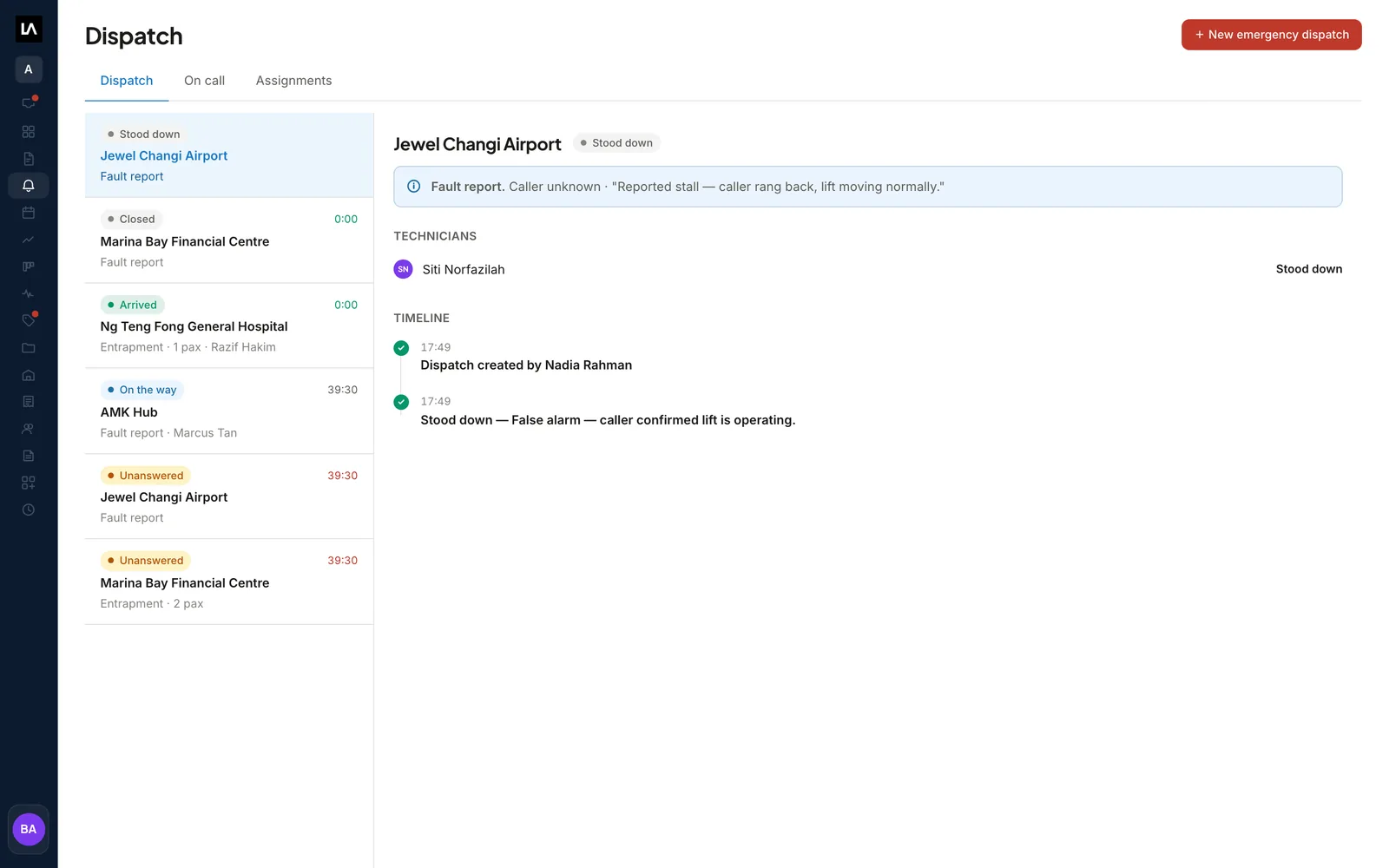
The Dispatch screen in LiftAuth: a queue of elevator call-outs marked Unanswered, On the way, Arrived and Closed, with the timeline of the selected one.

What is breakdown dispatch in LiftAuth?

A dispatch is how you find a Technician for an emergency call-out. Someone phones to say an elevator has failed or that people are trapped. An operator raises the dispatch, and the chosen Technicians’ phones ring until one of them accepts.

From there, LiftAuth does the following on its own:

  • It stops every other phone the moment one Technician accepts.
  • It marks the call-out Unanswered when nobody has accepted after three minutes.
  • It shows the Technician’s arrival time while they share their location.
  • It records the total response time when they mark themselves arrived.
  • It keeps a timeline of who raised the call-out, who accepted and when they arrived.

What’s included in breakdown dispatch.

Rings until answered

Every Technician you pick gets a loud ring, even with the app closed. It keeps ringing until someone responds.

Entrapment first

The form asks whether anyone is trapped and how many. It is the first thing the Technician reads.

The caller’s number

Take the caller’s name and phone number. The Technician who accepts can call them from the app.

An on-call rota

Roster Technicians for standby shifts. A shift can be one-off or repeat daily, weekly or monthly.

On call at the top

When you raise a dispatch, whoever is on call is listed first. You can still ring anyone.

Ring more people

If nobody answers, add more Technicians. The first phones keep ringing too.

Live arrival time

The Technician can share their location on the way. You see their arrival time and when their position last updated.

A Call Center role

Operators with the Call Center role see only Portfolio and Dispatch. They can raise and manage dispatches.

From the phone call to a Technician on site.

01Raise the dispatch

Pick the building and say if anyone is trapped.

Choose the building, answer whether anyone is trapped and write down what the caller reported. Then select the Technicians to ring.

Whoever is on call right now is grouped at the top of the list. Nothing is pre-selected, so you choose every time.

BuildingEntrapmentCaller phoneSituation
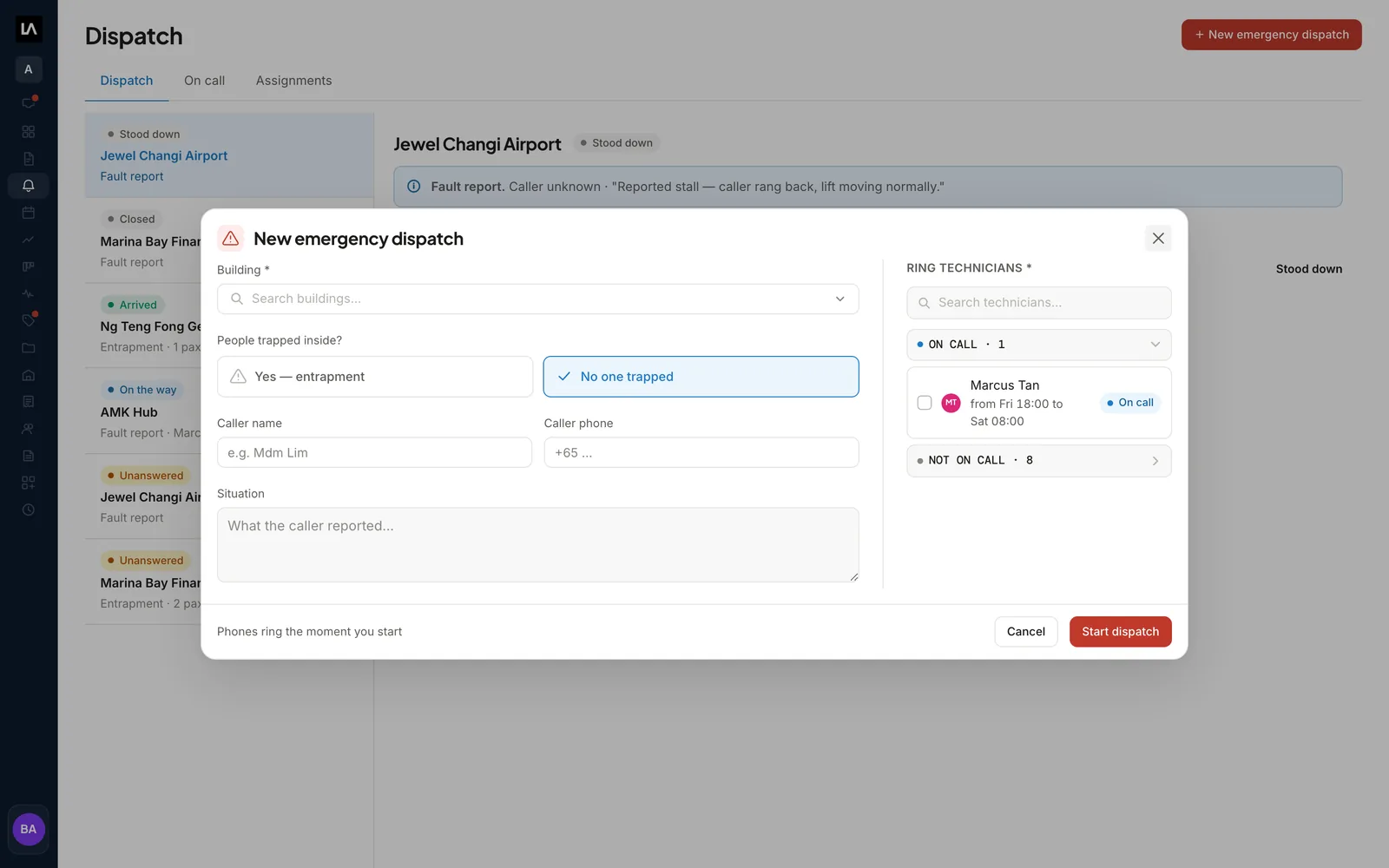
The New emergency dispatch form in LiftAuth, with the building, the entrapment question, the caller's details and the on-call Technicians to ring.
02On the Technician’s phone

Technicians answer in the technician app.

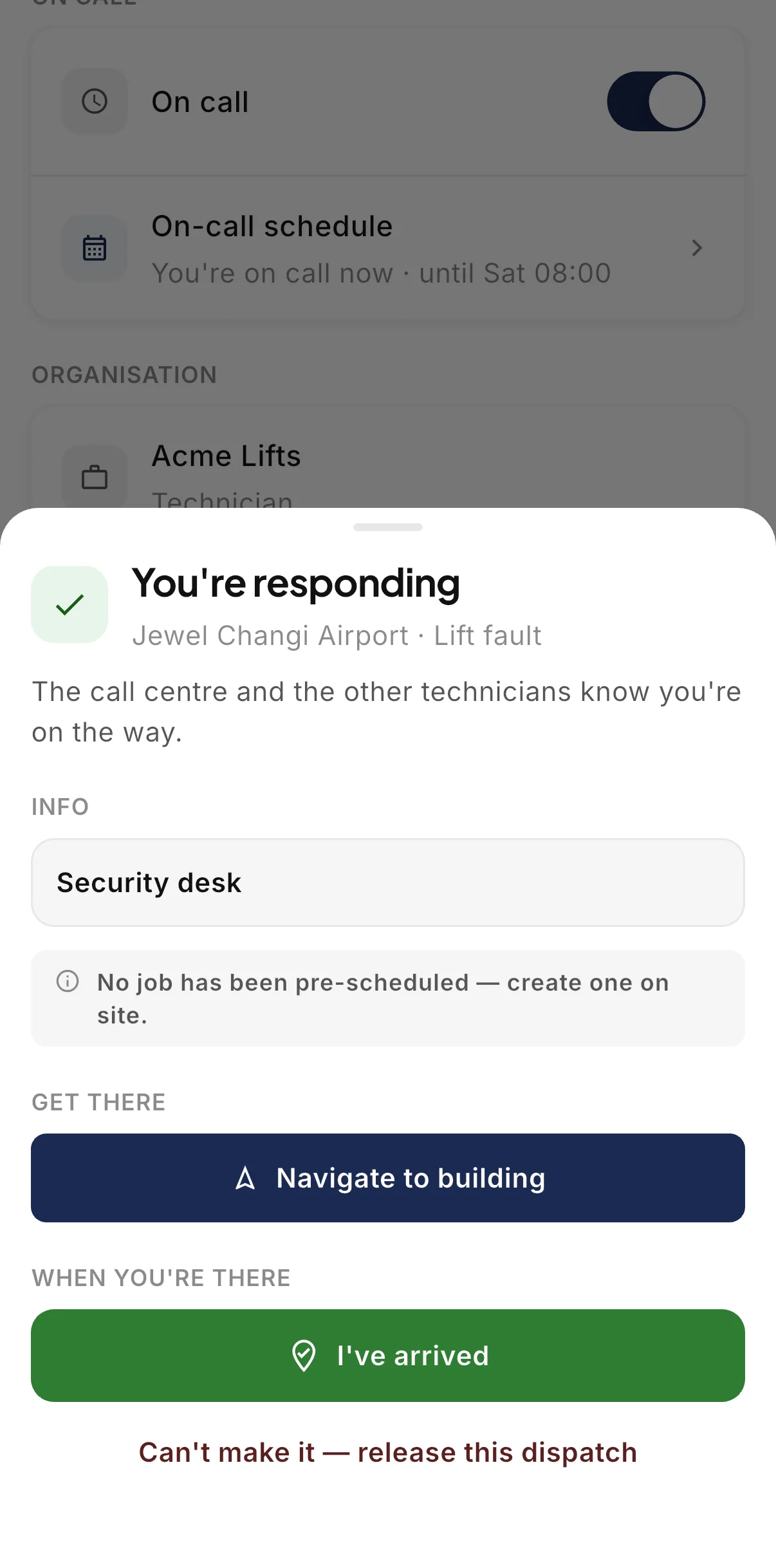
Each phone rings with a siren, even when the app is closed. The first Technician to tap Accept dispatch takes the call-out, and every other phone stops.

The Technician can then call the caller, share their location on the way and tap I’ve arrived on site. If they cannot make it, they release the call-out and the others are rung again.

The You're responding screen in the LiftAuth Ops technician app, with the Navigate to building and I've arrived buttons.
03Follow the call-out

Follow every call-out from the Dispatch screen.

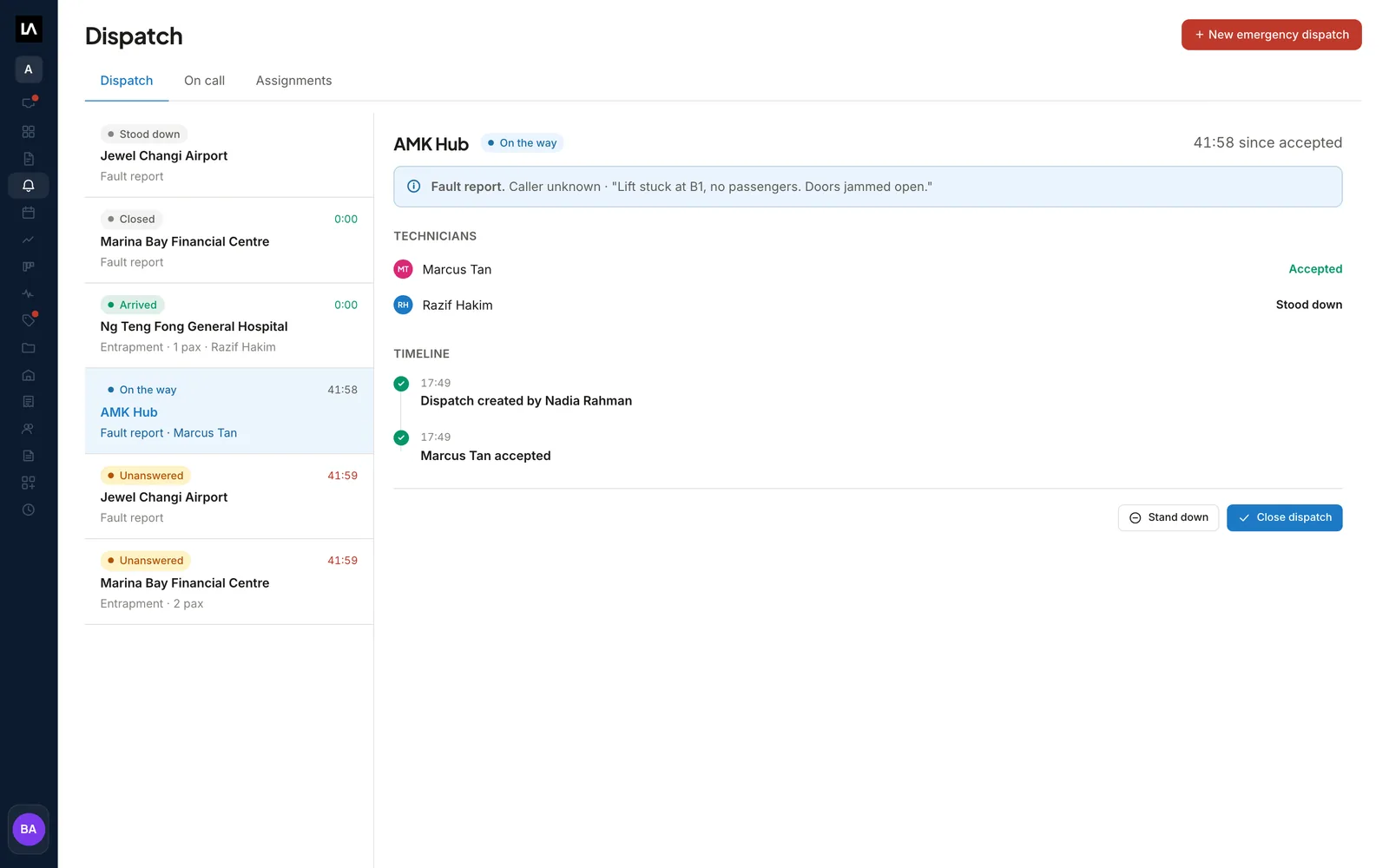
The queue shows each call-out with its status and a timer. After three minutes with no answer, it reads Unanswered and you can ring more Technicians.

Once someone accepts, you see who took it and how long ago. When they arrive, the timer stops on the total response time.

RingingUnansweredOn the wayArrived
An elevator call-out in LiftAuth marked On the way, showing the Technician who accepted, the timeline and the Close dispatch button.
04For the Building Manager

The Building Manager sees the Technician on the way.

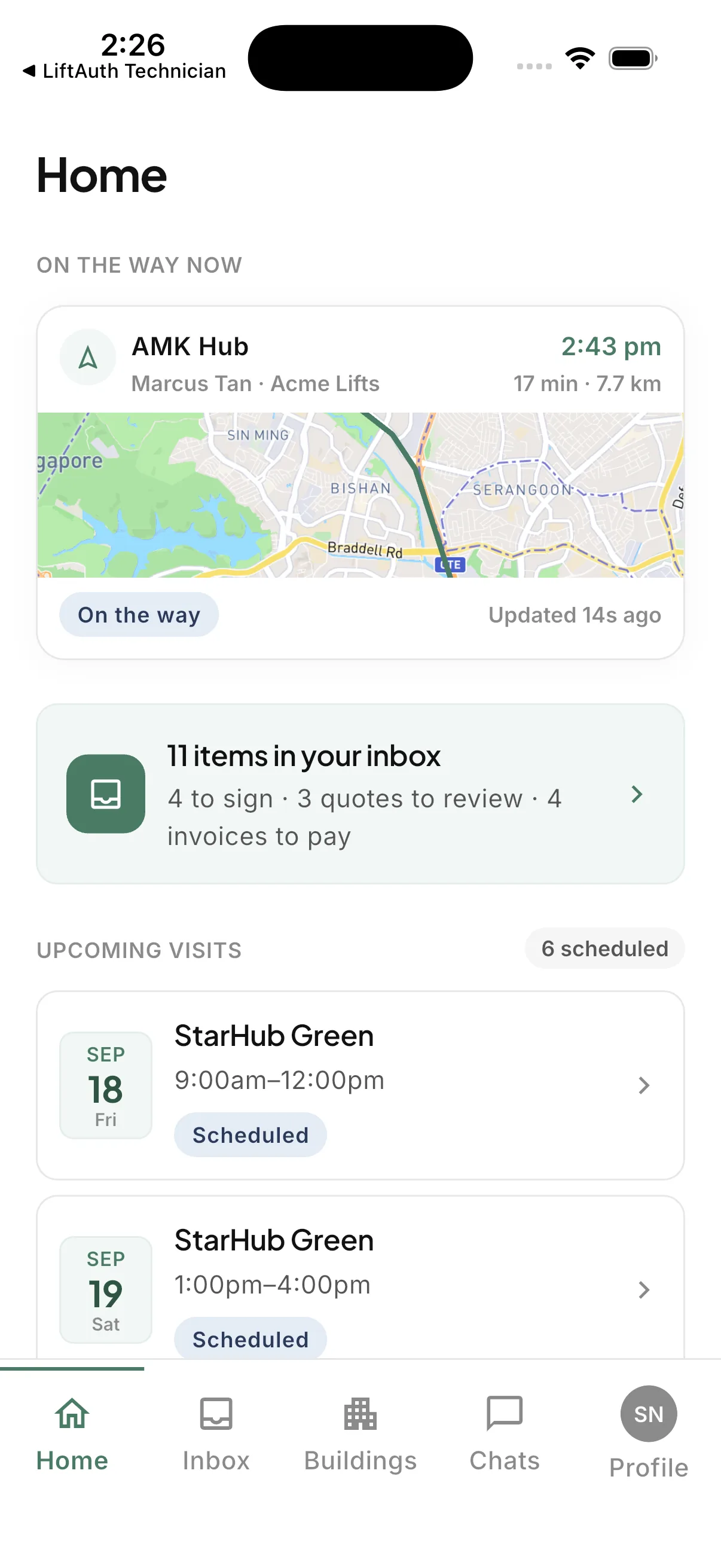
When a Technician sets off for one of their buildings, the building manager app shows an On the way now card. It names the Technician and shows their estimated arrival time.

A badge reads On the way, At the building or Signal lost. The card goes away when the journey ends.

The On the way now card in the LiftAuth Building Manager app, with the Technician's arrival time and a map of the route to the building.

Breakdown call-outs before and after LiftAuth.

BeforePhone calls
  1. Technicians rung one at a time until someone picks up
  2. Tonight’s standby checked on a separate roster
  3. The building calls back to ask when someone will arrive
  4. Response times pieced together afterwards
WithLiftAuth
  1. Several Technicians’ phones ring at once
  2. On-call Technicians listed first on the dispatch form
  3. An arrival time in the office and the building manager app
  4. Total response time recorded on arrival

LiftAuth compared with phone calls and group messages.

Breakdown dispatch in LiftAuth compared with phone calls and group messages
CapabilityLiftAuthPhone calls and group messages
Reaching TechniciansSeveral phones ring at onceOne call at a time
Who is on callListed first from the rotaChecked on a separate roster
Who took the call-outFirst to accept; other phones stopConfirmed by more calls
Arrival timeLive while the Technician shares locationAsk the Technician
Response timeRecorded on arrivalWorked out afterwards
Building Manager updatesOn the way card in their appMore phone calls

More of the platform.

Breakdown dispatch questions

Does LiftAuth ring the on-call Technician automatically?

No. An operator always picks the phones to ring. The rota puts whoever is on call at the top of the list, and the operator can ring anyone in either group.

What happens if nobody answers?

The phones keep ringing. After three minutes the call-out reads Unanswered, and you can add more Technicians. The first phones carry on ringing.

Can a Technician hand a call-out back?

Yes. The Technician who accepted can release it from the app. Everyone else’s phone rings again and the timer restarts.

Does a dispatch create a Job or an Invoice?

No. Billable work from a call-out is recorded afterwards as a separate breakdown Job. The Technician can create that Job on site from the app.

Who can raise a dispatch and change the rota?

Owners, Admins and Call Center operators can raise and manage dispatches. Only Owners and Admins can add or delete on-call shifts.

Do Technicians have to share their location?

No. Sharing is optional. It starts when they tap Navigate to building and stops when they arrive or release the call-out.

Ring your on-call Technicians from one screen.

To talk to us, email hello@liftauth.com or fill in the form here.

We use these details to reply to you and to see which pages you visited first. See our privacy policy.