Invoicing & payments

Elevator service invoicing drafted from the work you did.

LiftAuth drafts the Invoice when a billable Job closes or a contract’s yearly billing date comes around. Your office checks it, issues it and sends it. The Building Manager sees it in their app, and you record the payment.

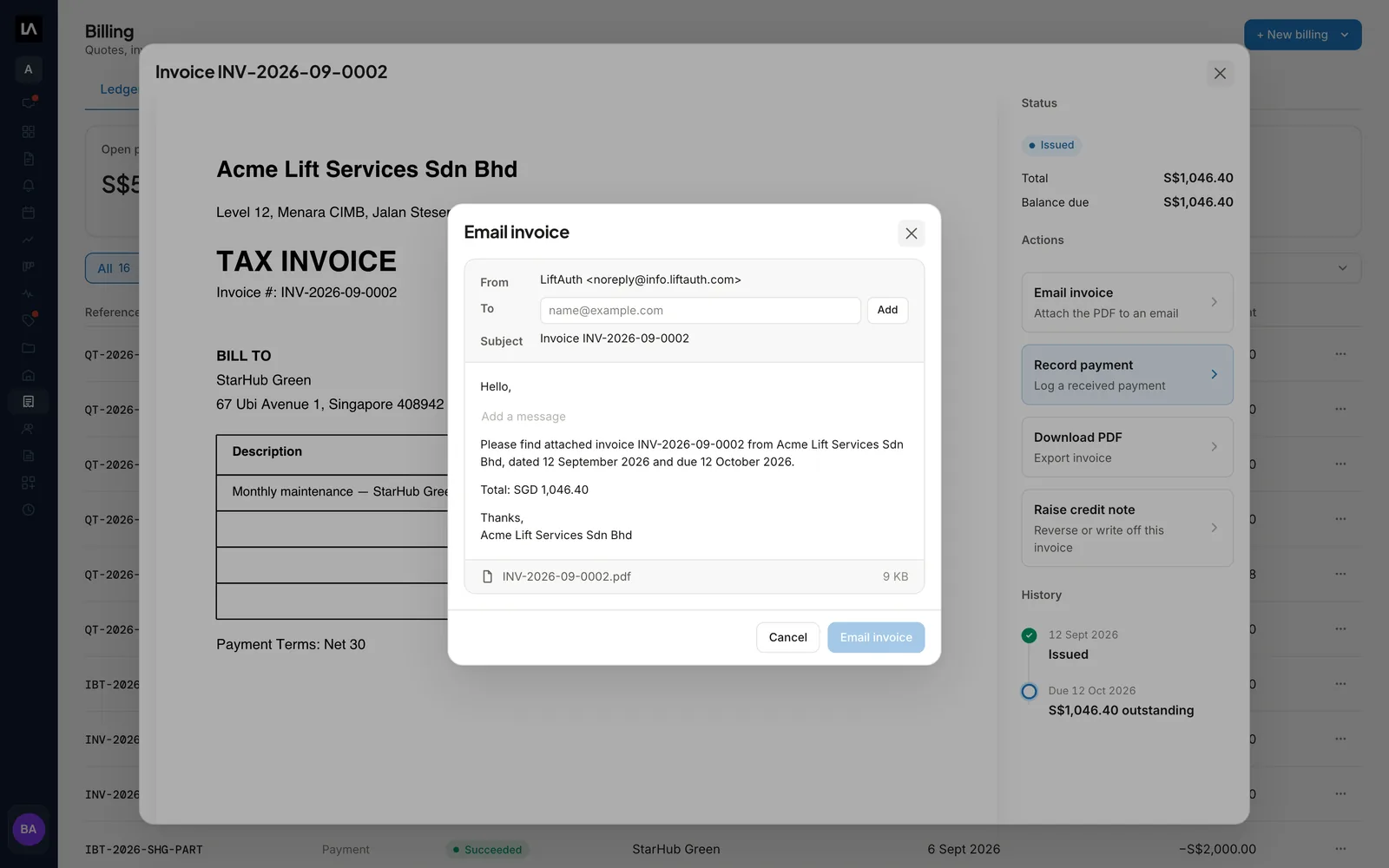
An issued Invoice open in LiftAuth Billing, with the Email invoice dialog showing the message and the PDF attachment, and Record payment and Raise credit note beside it.

What is invoicing in LiftAuth?

Billing is where your office prices work, bills for it and keeps track of what each Building Manager still owes. It holds four kinds of document:

  • a Quote, the price you offer before the work is agreed;
  • an Invoice, the bill for work done;
  • a payment, the money received against an Invoice;
  • a credit note, an adjustment, refund or write-off.

Every Invoice starts as a draft. A draft has no number and does not count as money owed. Issuing it gives it a number and a PDF, and adds it to what the Building Manager owes.

What’s included in invoicing and payments.

Drafts from the work

A Job on a contract billed per Job, or a Job from an accepted Quote, drafts its Invoice when it closes.

Yearly contract Invoices

A contract billed once a year drafts its Invoice on its own, with the lines set on the contract.

Recorded payments

Log a bank transfer or other payment against an Invoice. Its balance and status update at once.

Credit notes

Reverse part or all of an issued Invoice as an adjustment, a refund or a write-off.

AR statements

Export what one Building Manager or all of them owe for a period, as a PDF or a CSV.

Standard items and templates

Price your call-out fee and hourly rate once. Save the lines, tax rate and terms you bill again and again.

Your own numbering

Choose the prefix and format of your Quote, Invoice and credit note numbers, and carry on an existing sequence.

From closed Job to paid Invoice.

01Close the Job

Closing a billable Job drafts its Invoice.

When the Job is on a contract billed per Job, the lines come from the contract’s own invoice. When the Job came from an accepted Quote, they come from the Quote.

A contract billed once a year drafts its Invoice without a Job. You can also write an Invoice by hand at any time.

Per JobOnce a yearFrom a QuoteBy hand
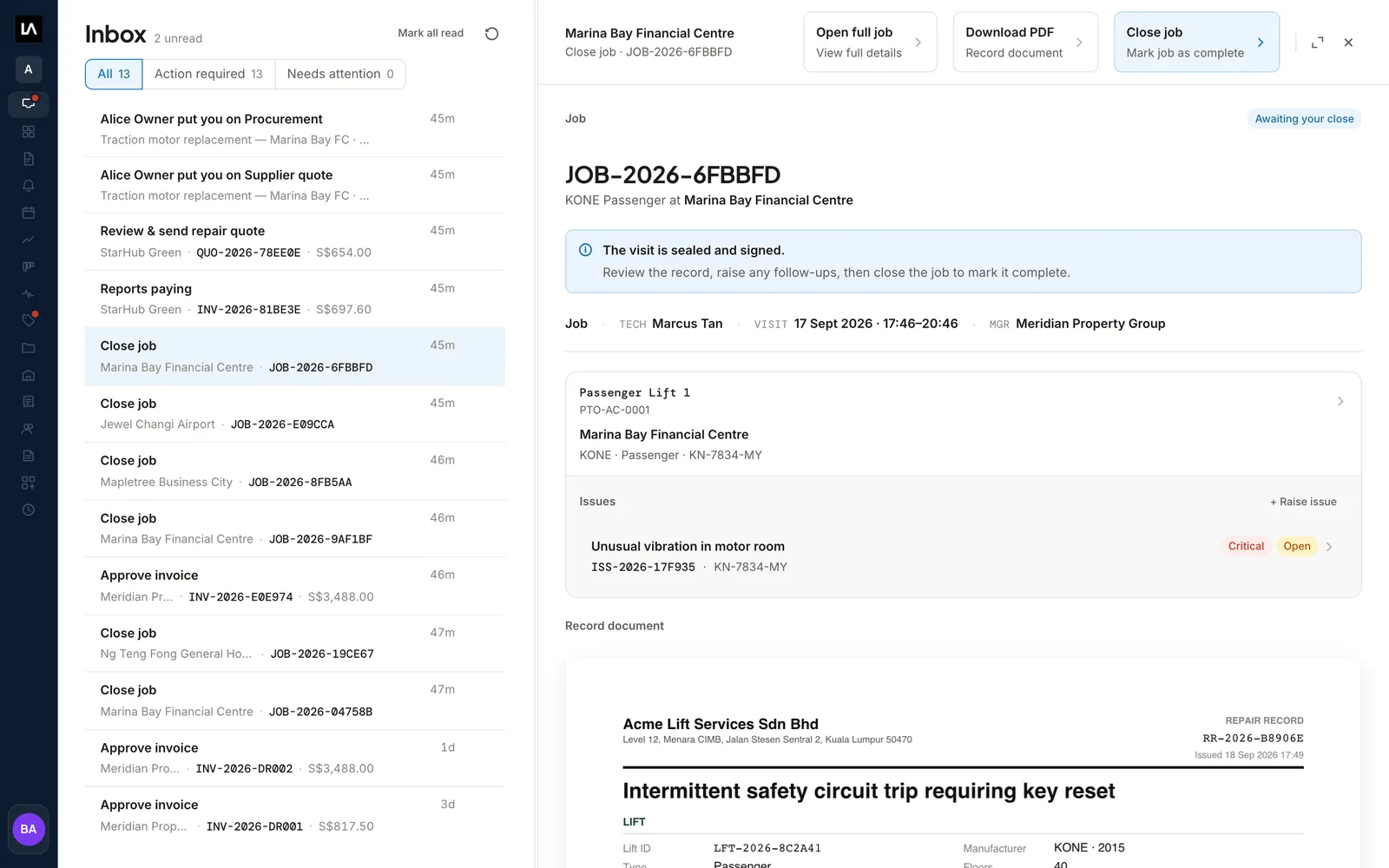
A Job awaiting close in the LiftAuth Inbox, with the signed Record, an open Issue on the elevator and the Close job button.
02Check and issue

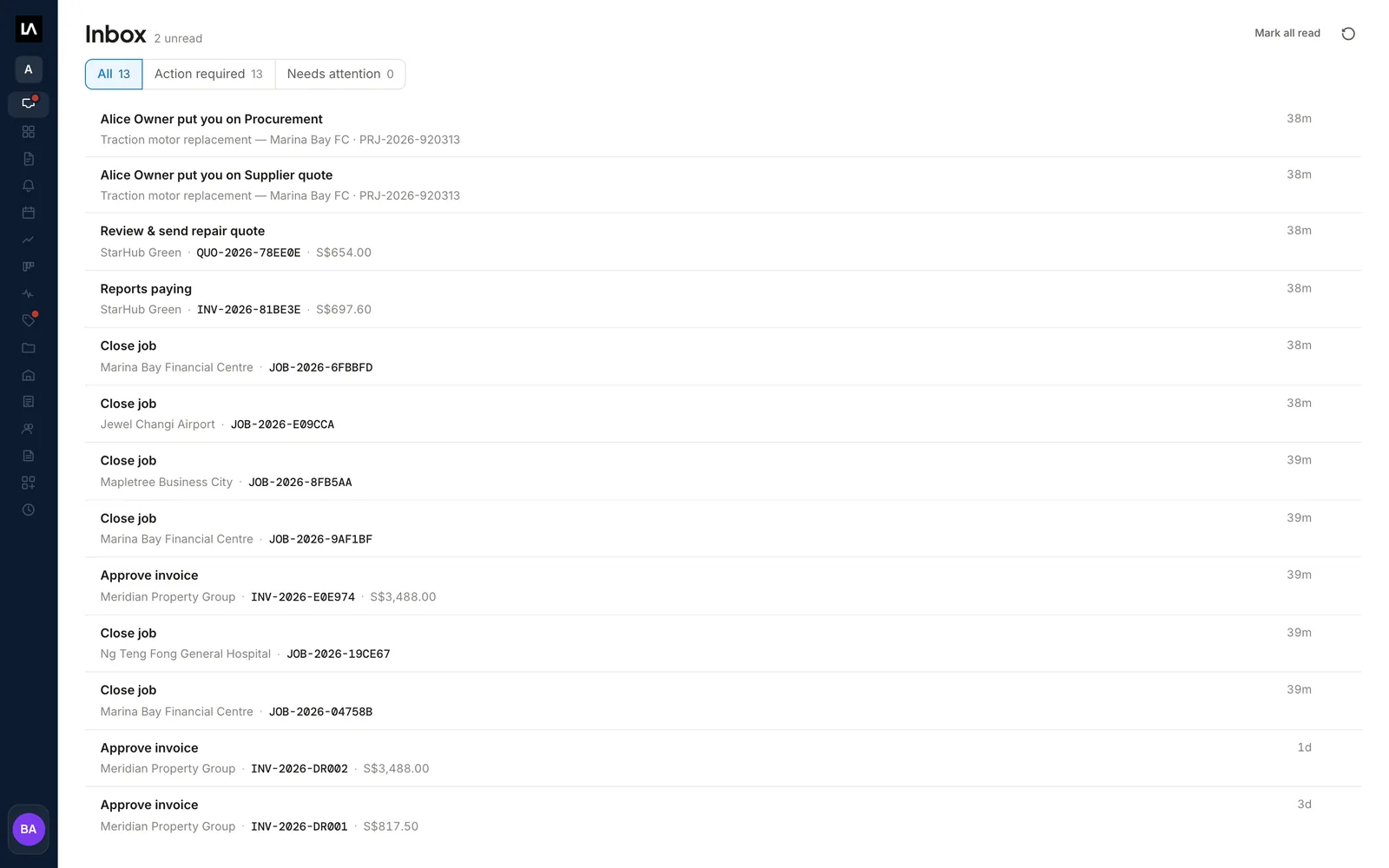
Drafts wait in your Inbox until someone checks them.

Open the draft, check the lines, the tax and the due date, and edit anything that is wrong. Then select Issue invoice. The Invoice takes the next number in your series and gets its PDF.

Once issued, an Invoice cannot be edited or deleted. To correct one, raise a credit note and issue a new Invoice.

InboxEdit draftIssue invoiceCredit notes
The LiftAuth Inbox listing draft Invoices to approve, a repair Quote to review and send, a Building Manager reporting payment, and Jobs to close.
03Get paid

The Building Manager gets the Invoice in their app.

An issued Invoice appears in the building manager app straight away when that Building Manager has accepted your sharing request. If they haven’t, email it from LiftAuth with the PDF attached.

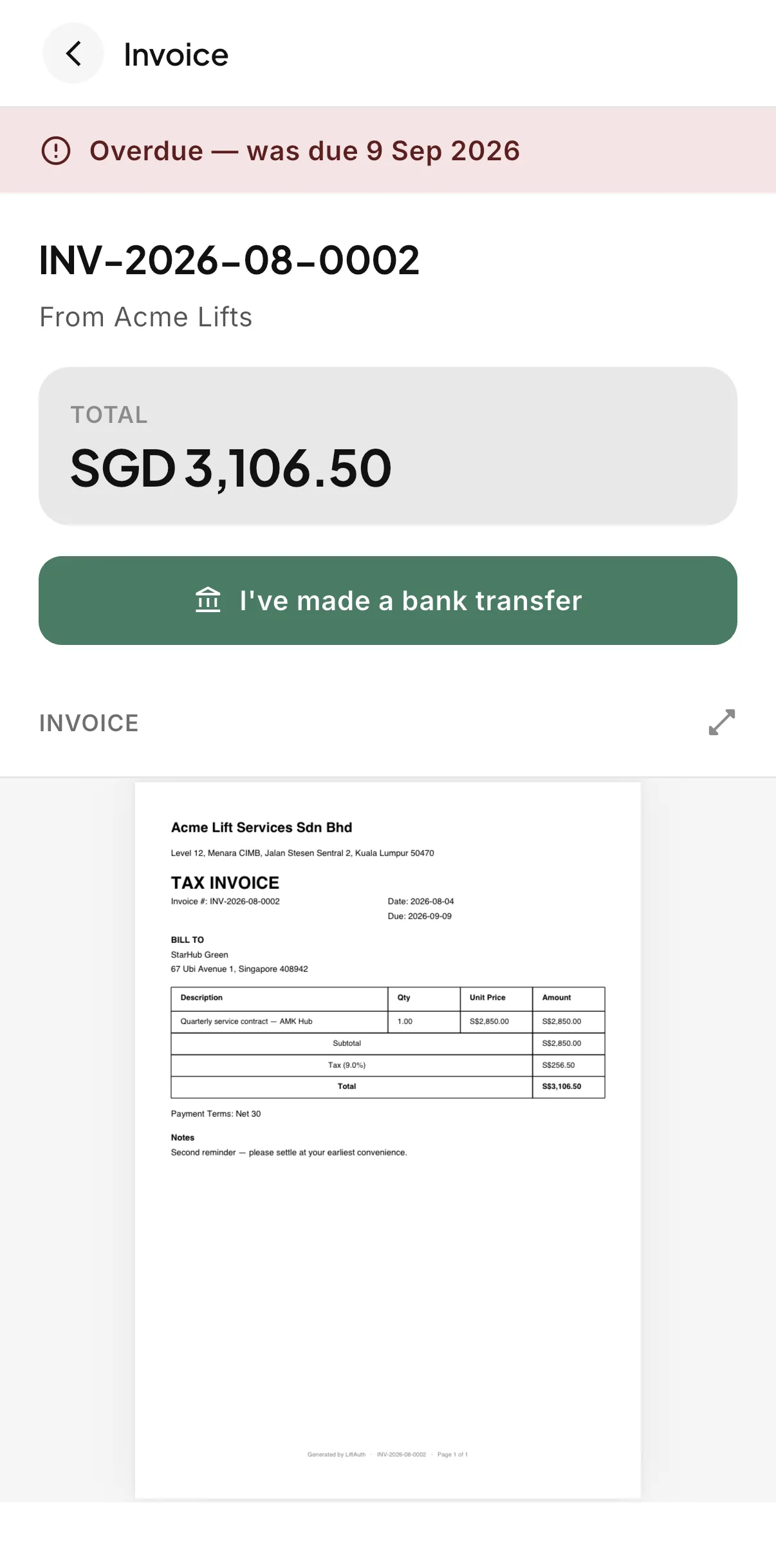
A Building Manager who pays by bank transfer selects I’ve made a bank transfer. That puts the Invoice in your Inbox so you can check your bank and record the payment.

An overdue Invoice in the LiftAuth Building Manager app, with the total, the I've made a bank transfer button and the Invoice PDF.

Invoicing before and after LiftAuth.

BeforeSeparate tools
  1. Invoices typed up from the job sheets at month end
  2. Call-out fees and rates retyped on every Invoice
  3. A visit that never gets billed
  4. Payments matched to Invoices in a spreadsheet
WithLiftAuth
  1. A draft Invoice waiting when a billable Job closes
  2. Standard items and templates fill in the lines
  3. Building Managers see each Invoice in their app
  4. Each payment recorded against its Invoice

LiftAuth compared with a separate invoicing tool.

Invoicing in LiftAuth compared with a separate invoicing tool
CapabilityLiftAuthA separate invoicing tool
Invoice for a finished visitDrafted when a billable Job closesTyped up from the job sheet
Yearly contract billingDrafted from the Maintenance ContractA recurring Invoice set up by hand
Signed Record with the InvoiceBoth in the building manager appSent separately
Quote to InvoiceAccepted Quote becomes the Invoice linesDepends on the tool
General ledger and bookkeepingNot included; export a CSV for your accountantDepends on the tool

More of the platform.

Invoicing and payments questions

Does LiftAuth send Invoices without anyone checking them?

No. LiftAuth drafts them and someone in your office issues each one. Issuing does not email the Invoice either. A shared Building Manager sees it in their app, and anyone else needs it emailed.

Can Building Managers pay by card?

Not yet. Card payments are coming soon.

Does LiftAuth replace my accounting software?

No. You keep your accounting software. Integrations with QuickBooks and Xero are coming soon.

Send your next Invoice from LiftAuth.

To talk to us, email hello@liftauth.com or fill in the form here.

We use these details to reply to you and to see which pages you visited first. See our privacy policy.